
Ever wonder why your movie night at home feels a bit flat? A smart home theater setup can change that by turning your room into a cozy mini-cinema. Imagine a bright screen, a crisp projector, booming sound, and seating that fits just right. This guide lays out the key parts you need to boost your viewing experience. From picking the ideal screen to setting up a sound system that impresses, every detail helps make your movie night truly special.
Key Components of an At-Home Theater Viewing Guide

This guide lays out the four must-have pieces to build a great home theater. First, your display screen is the center of the show. It needs to work well with your projector so that every image is sharp. Getting the projector right means measuring the throw distance (how far the projector should be from the screen) and picking a mount that fits your model. Next, a high-definition sound system, whether it’s in-wall or ceiling speakers, should follow local noise rules, while good seating plans make sure everyone gets a clear view.
For the screen, choosing the right size and resolution is key for enjoying 4K and HDR videos. When it comes to the projector, check its specific distance needs and decide if wall or ceiling mounting fits best. A balanced sound setup might mix tower, bookshelf, or center speakers, with extra modules if you’re using Dolby Atmos, to fill your room with rich audio. And don’t forget the seating layout; whether you choose recliners or dedicated theater chairs, proper angles and spacing make all the difference.
Your room type can greatly shift your gear choices. In basements, wood floors, vapor barriers, and fixed screens are ideal. Attics might need a 1,000–2,000 lumen projector, good insulation, and sound panels for the best experience. For outdoor setups, a weatherproof screen paired with a 2,000 lumen projector works nicely. And living rooms shine with motorized, retractable screens, hidden projectors, and a solid 5.1 or 7.1 surround system, ensuring that every seat feels like the best seat in the house.
Display and Projection Tips for the At-Home Theater Viewing Guide

Getting your home movie setup just right starts with matching your screen and projector properly. Your screen should be able to show all the details that the projector lights up. When you use a 4K shooter, you want a projector that can adjust brightness, contrast, and color so that every scene bursts with life. Whether you hang it on the wall or attach it to the ceiling, nailing the correct distance between the projector and the screen makes all the difference.
Here are five steps to help you set up perfectly:
- Measure the distance needed for your specific projector model.
- Choose the best spot and the right mounting hardware.
- Securely attach the mount and adjust it to the perfect angle.
- Hook up the power and signal cables.
- Fine-tune the focus and keystone settings for a sharp picture.
Picking the right screen is just as important as setting up your projector. In smaller rooms, a motorized ceiling or retractable screen can save space and keep things neat. When you shop for a screen, look at the material. Smoother screens match well with brighter projectors, while screens with special finishes can boost contrast in rooms with extra light. Try different brightness and contrast settings until you find the look that makes every detail pop.
Sound System Selection in the At-Home Theater Viewing Guide

Setting up your home theater starts with choosing and placing the right speakers for a true surround feel. You might use towers, bookshelves, a center channel, wall or ceiling speakers, surrounds, and even Dolby Atmos modules. Each one helps deliver clear dialogue, deep bass, and a rich ambient sound that fills the room. These speakers work together to create a balanced sound, and you should also follow local rules if you install speakers in the walls.
| Speaker Type | Recommended Placement |
|---|---|
| Tower | Front left and right, next to the screen |
| Bookshelf | Either with the front speakers or as rear fixtures |
| Center Channel | Placed under or above the screen for clear dialogue |
| Wall/Ceiling | Mounted for ambient sound from the sides or rear |
| Surround | Located at the sides and rear of your seating area |
| Dolby Atmos Modules | Installed overhead for vertical sound effects |
Make sure to check your room ratio (generally between 1:1.6 and 2.4) to allow enough space for proper bass and even sound distribution. Basic calibration is important too. Adjust each speaker so that dialogue, music, and effects mix well without one overpowering the others. Using acoustic treatments like absorption panels, bass traps, and diffusion materials can cut down on unwanted echoes and muddiness. Try different placements for these panels on your walls and ceiling to get the best sound clarity. Regular checks on your calibration settings will help every scene, from soft whispers to dramatic explosions, sound just right.
Seating Layout Suggestions in the At-Home Theater Viewing Guide
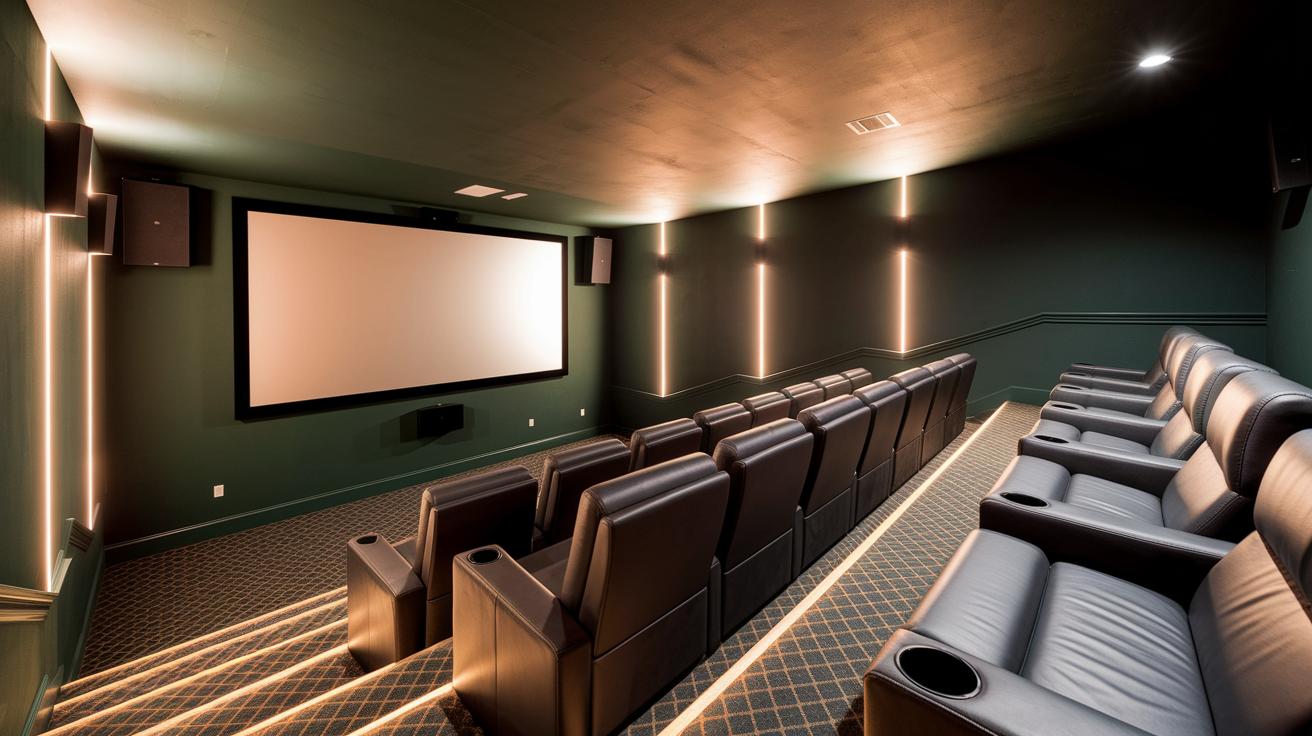
Getting your seating plan right is key to creating a cozy, immersive home theater. You want every seat to have a clear view while keeping enough room for comfort. Think about the viewing distance, the height of each row, and space around walls and speakers. For a 70‑inch screen, staying between 5.5 and 8.75 feet away brings out the best of 4K visuals, turning your space into a true movie zone.
Optimal Viewing Distance
For a crisp 4K picture, sit about 5.5 to 8.75 feet from a 70‑inch screen. This spot lets you see every tiny detail and keeps the image sharp. It’s a straightforward rule that ensures you enjoy clear visuals without eye strain.
Riser and Spacing Guidelines
If you’ve got multiple rows, raise the back row at least 12 inches so everyone can see comfortably. When your seats recline, leave 18–24 inches between rows, or 30–36 inches if you prefer more room to walk. Positioning seats at least 4 feet away from walls or speakers also helps keep sound clear and views unobstructed. Extras like built‑in cup holders and ergonomic designs add to the overall comfort and make every seat feel perfectly placed.
Lighting and Ambiance in the At-Home Theater Viewing Guide
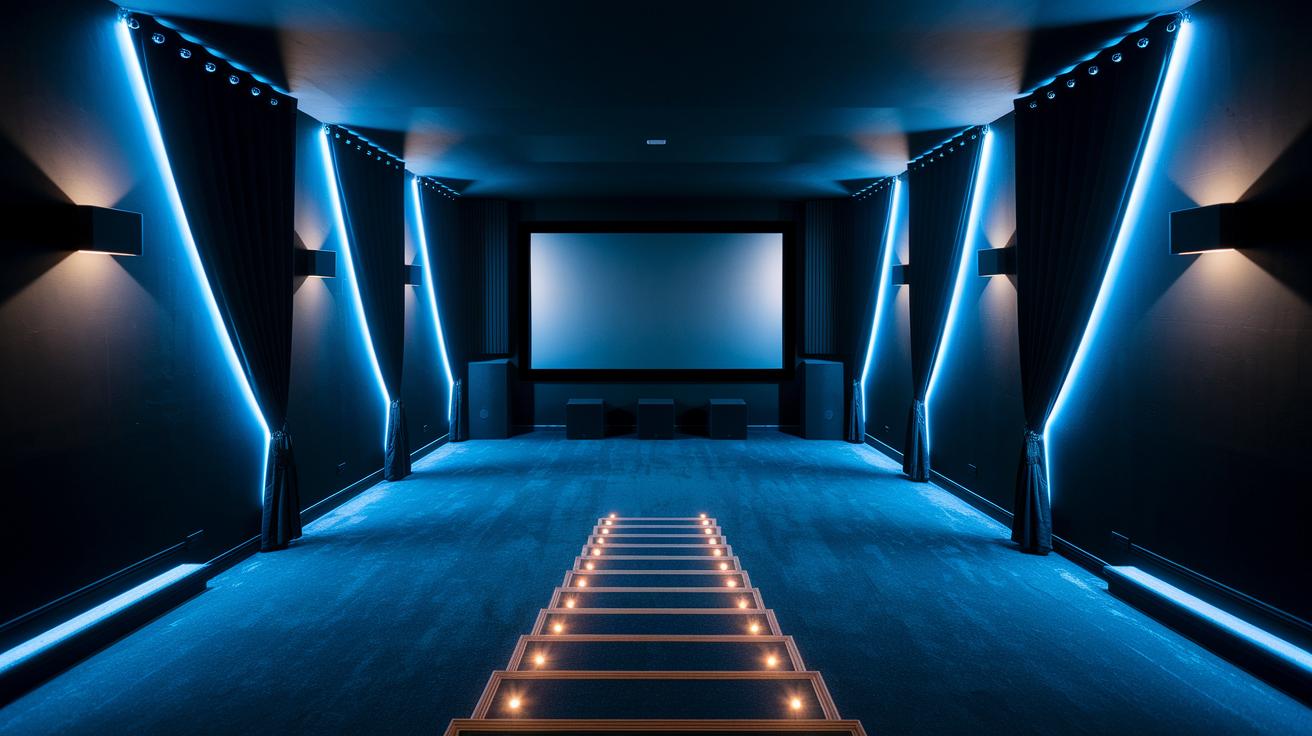
To create a real movie theater feel at home, start by managing your lights. Use blackout curtains or shades to block glare from windows and sharpen your screen. They also help soften the sound in the room. Place small task lights along aisles and under steps to keep walkways clear without stealing focus from the movie. LED lights behind the screen ease eye strain and set a calm mood. Picture soft LED lights glowing behind your screen; they are subtle but keep your attention on the film.
Brighten your space further with smart wall choices and safety lights. Choose matte dark paint to cut down on reflections and lessen echo. Heavy curtains add extra sound control by absorbing background noise. A few well-placed safety lights near obstacles ensure clear paths. This setup makes your home theater both inviting and safe.
Cable Organization and Smart Integration in the At-Home Theater Viewing Guide
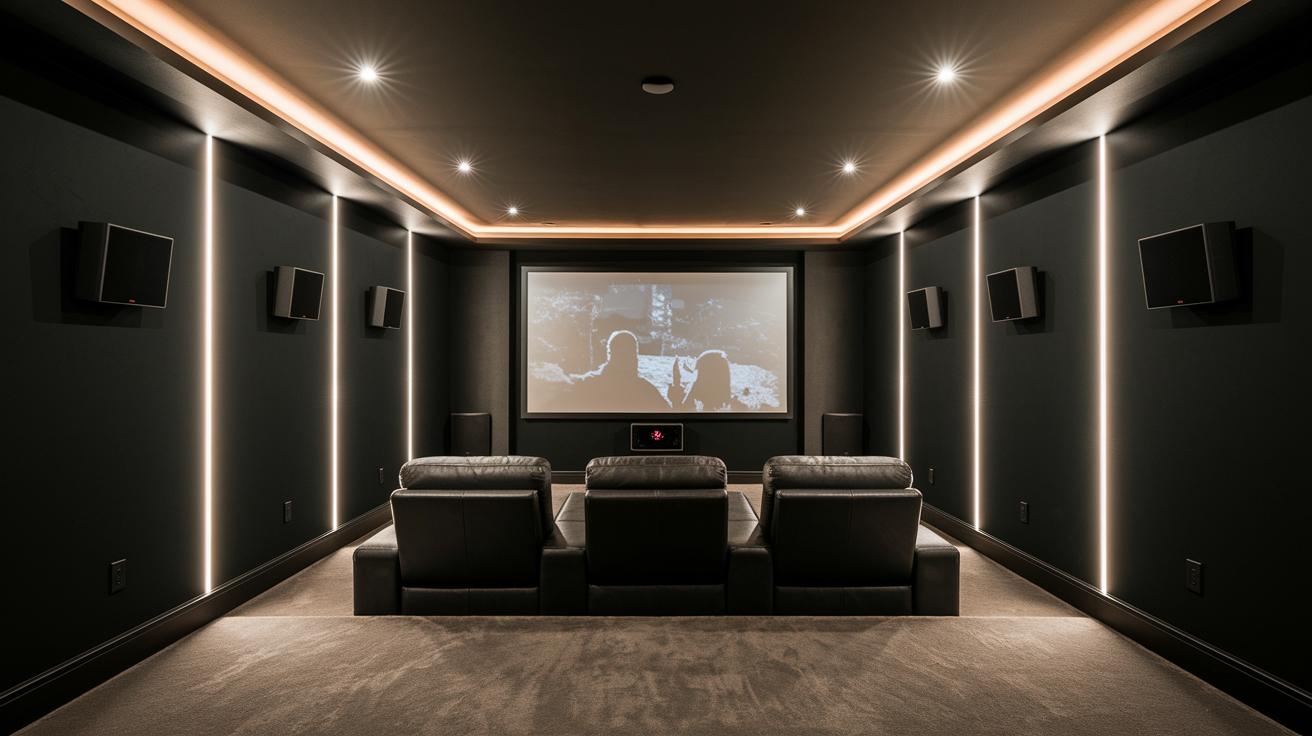
Cleaning up your cables can make your home theater look and work much better. Instead of leaving wires hanging, try using cable channels, sleeves, and labels to guide your cords along the walls and behind furniture. Mount power strips behind cabinets so plugs stay out of sight. This not only makes your system look neat but also helps you spot and fix issues quickly. For instance, when you set up your projector, well-routed HDMI cables give the room a tidy, professional feel.
Taking it up a notch, smart controllers can connect your projector, lights, and sound system for one-touch activation. Devices like Alexa or Google Home let you control everything with a single command, while universal remotes and app-based controllers send commands to several devices at once. Plus, cross-device HDMI switchers mean fewer manual cable swaps. Combining smart control with smart cable management makes your home theater both simple and powerful.
Budget-Friendly and Maintenance Tips in the At-Home Theater Viewing Guide

If you want to set up a home theater without spending a fortune, try making your own acoustic panels using rock wool and fabric for under $50. Used or refurbished receivers and projectors can also trim expenses, and retractable screens work well instead of fixed ones. Start simple and see the room transform.
Another smart idea is to hunt for second-hand theater gear that still performs well. Budget items can offer the necessary features without the high price, making your setup both affordable and fun without losing quality.
Regular upkeep is key to keeping your system in top shape. Dust vents and lenses, check cable connections, and update firmware to keep things crisp. Think of it like tuning an engine, a little care goes a long way to maintain picture and sound clarity for every movie night.
Remember to look after your projector lamp and speakers, too. Replace the lamp after around 2,000 hours to keep brightness up, and clean speaker grills and fan intakes to cut down unwanted noise. Spending a little time on monthly checks can stop bigger problems later, ensuring your home theater stays in peak condition.
Streaming Devices and Content Management in the At-Home Theater Viewing Guide
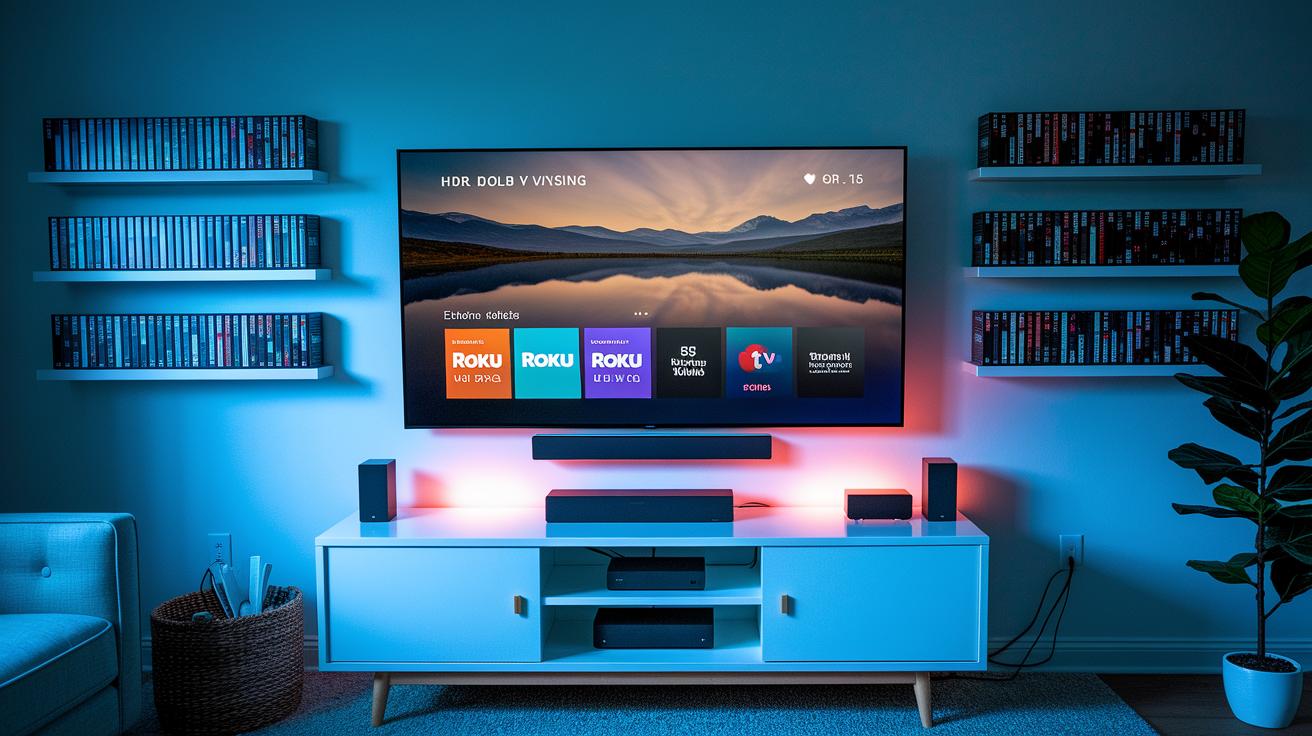
When setting up your home theater, start by choosing a streaming device that fits your needs. Top picks like Roku Ultra, Apple TV 4K, and Nvidia Shield deliver smooth playback and clear 4K images. Using a wired Ethernet cable or a mesh Wi-Fi setup can reduce buffering, ensuring your shows run seamlessly. Adjusting your network settings also makes sure you get full HDR (extra-bright, detailed visuals) and Dolby Vision (enhanced color and contrast), bringing a true theater feel to your living room.
Next, organize your digital movie collection with a dedicated media server. Options like Plex or Jellyfin let you store all your films and shows in one spot, making it easy to browse and stream without sifting through many folders. Think of it as having your own neatly arranged DVD shelf online. A well-set-up server also helps keep file updates and movie details current, so you always know what's available.
Finally, compare different streaming subscriptions to match your viewing style. Platforms such as Netflix, Prime Video, and Disney+ vary in film selection, video quality, and extra features. Some offer vast libraries, while others emphasize high-resolution streams. Review your options to ensure every movie night combines variety with excellent picture quality.
Final Words
In the action, this guide breaks down setting up your home cinema into clear, bite-sized chunks. It covers selecting the right display and projector, arranging a true surround sound experience, and planning seating for optimal comfort. Lighting, cable organization, and budget-friendly tips further streamline your process. It even goes over streaming device choices and smart integration ideas. This at-home theater viewing guide ties every detail together for a complete cinema experience at home. Enjoy building your perfect movie night space and have fun watching!
FAQ
At home theater viewing guide reddit
The reddit at-home theater viewing guide brings real user tips on layout, equipment selection, and setup advice, offering practical insights from community experiences for building a quality home theater.
Best at home theater viewing guide
The best at-home theater viewing guide combines clear diagrams, precise room measurements, and expert tips to help you choose the right display, sound, and seating options for an immersive setup.
Home theater layout dimensions
Home theater layout dimensions cover guidelines for screen placement, seating arrangements, and projector/speaker positioning, ensuring that your room’s size supports optimal viewing angles and sound distribution.
Home theater setup Diagram
A home theater setup diagram visually displays the placement of your screen, projector, speakers, and seating to create a balanced audio-visual environment, making installation easier and more efficient.
Home theater room size calculator
The home theater room size calculator helps determine the ideal screen size, seating distance, and speaker setup based on your room’s dimensions, ensuring that every component fits perfectly for the best experience.
Home theater setup for small room
Home theater setup for a small room focuses on maximizing limited space with appropriately sized screens, compact sound systems, and smart seating arrangements that maintain clear sightlines and optimal acoustics.
TV viewing distance 4K
TV viewing distance for 4K is calculated by screen size; for a 70-inch display, keeping viewers between approximately 5.5 and 8.75 feet away helps deliver crisp detail and immersive picture quality.
Home theatre setup ideas
Home theatre setup ideas include optimally placing screens, projectors, and speakers; using flexible seating; and managing cables effectively to create a neat, immersive space that adapts to room size and personal style.
What is the golden rule for home theater?
The golden rule for a home theater is to balance display, sound, seating, and lighting so that all elements work together to create an immersive, comfortable viewing experience suited to your space.
What is the golden ratio for home theaters?
The golden ratio for home theaters is a guideline that balances screen size with viewing distance, ensuring that viewers receive a clear, comfortable picture without strain or distortion.
How to watch movies in home theater?
To watch movies in a home theater, set up properly calibrated displays, surround sound systems, and cozy seating arranged at the right distances, all of which help emphasize details and create a cinematic feel.
What is the optimal viewing angle for a home theater?
The optimal viewing angle in a home theater places viewers within roughly a 30-degree angle from the screen’s center, ensuring balanced image quality and sound clarity across the room.